
Buy PUBG Mobile UC – Secure Bank/Card Top‑Up
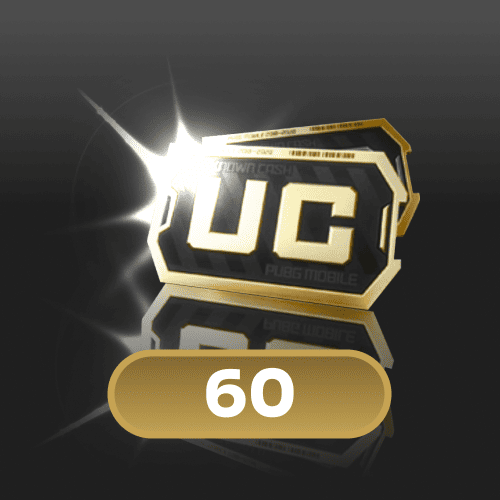
60 (UC)
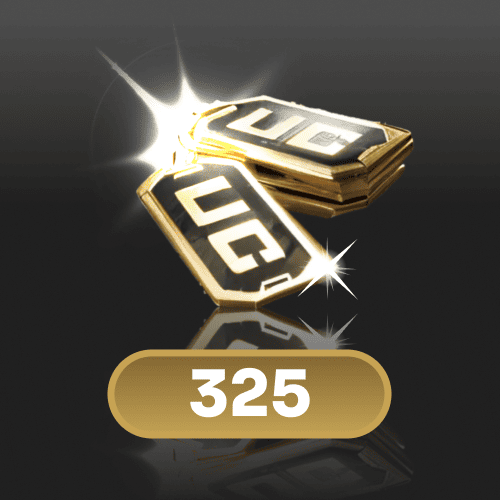
325 (UC)

660 (UC)
1800 (UC)
3850 (UC)
8100 (UC)
Top-up instructions
⚠️ WARNING!
How to enter details:
Before purchasing, enter your UID (*******) followed by your Server ID (**), separated by a space.
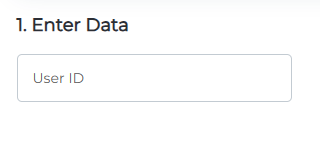
Tap the profile icon in the top-left corner.
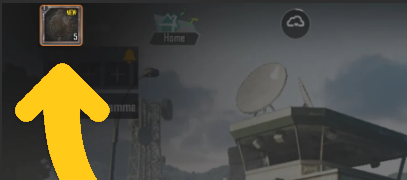
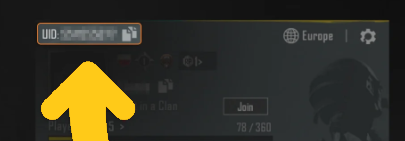
Your User ID will be shown on the profile screen.
🕐 24/7 Support
✅ Warranty
I have been working for more than 4 years.
I deliver orders quickly and with high quality.
GGPick is not affiliated with the game rights holder. All products are offered by independent sellers.
On GGPICK.com, you can buy PUBG Mobile UC, top up UC, and recharge your UC balance
by choosing a pack (60–8100 UC) and entering your UID + Server ID to credit the purchase to your account.
🪙 Buy PUBG Mobile UC: top up / recharge UC balance on GGPICK.com
If you’re looking to top up PUBG Mobile UC, recharge UC, or load UC for in-game purchases,
this page lets you select the pack you need and complete your order by providing your UID (User ID) and Server ID.
UC (Unknown Cash) is PUBG Mobile’s premium currency used for in-game content and customization.
Tip: Double-check your UID and Server ID before paying. Your UC top up / recharge is credited to the account linked to these details.
Available UC packs (choose how much UC to buy)
Pick the UC amount that matches your goal (small purchases, passes, events, bundles). Available packs:
PUBG Mobile UC top up information
Platform
PUBG Mobile (mobile game).
Required details
- UID (User ID) + Server ID (separated by a space)
Important: these details are used to credit the UC balance. Please verify them before completing your purchase.
How to find your UID (User ID) and Server ID
- Open PUBG Mobile.
- Go to your Profile (tap your avatar).
- Find UID / User ID and your Server ID.
- Enter UID + Server ID with a space between them, exactly as shown in the game.
If you don’t see it immediately, check your profile and settings screens. The identifiers are usually labeled UID / User ID.
What is PUBG Mobile UC?
PUBG Mobile UC (Unknown Cash) is the game’s premium currency. Players use UC to buy in-game content and enhance personalization.
If your goal is to load UC balance for store purchases, UC is the standard currency used across seasonal and event-based offers.
What can you buy with UC?
Available items depend on the season, events, and the in-game store, but UC is commonly used for:
- Weapon skins and visual upgrades.
- Outfits, sets, and character cosmetics.
- Vehicle skins.
- Emotes and customization items.
- Season passes and rewards (if available in your region/version).
- Crates or content bundles tied to active events.
Why top up UC on GGPICK.com
Popular UC pack options
Choose a pack that fits your needs: 60, 325, 660, 1800, 3850 or 8100 UC.
UID + Server-based crediting
Your UC recharge (top up) is credited using UID and Server ID, so the process focuses on entering them correctly.
Payment methods
Pay with Visa, MasterCard, or cryptocurrency.
How to buy / top up PUBG Mobile UC (steps)
- Select your UC pack: 60 / 325 / 660 / 1800 / 3850 / 8100 UC.
- Enter UID + Server ID (separated by a space), exactly as shown in the game.
- Double-check the details (recommended: review digit by digit).
- Complete the payment and finish your order.
FAQ (UC top up / UC recharge)
Which UC pack should I choose?
For smaller purchases, 60 or 325 UC is often enough; for medium needs, 660 or 1800 UC;
and for bigger events or bundles, 3850 or 8100 UC.
What if I enter the wrong UID or Server ID?
Your UC top up / recharge is credited to the details you enter (UID + Server ID).
That’s why it’s important to verify your identifiers before paying and copy them directly from your profile.
Why can UC prices change?
Prices may adjust due to exchange rates and payment/provider conditions, so product pricing can be updated periodically.
What payment methods are available on GGPICK.com?
Visa, MasterCard, and cryptocurrency.
“`
100% Safe Transaction
Efficient, professional, and fully secure with complete data protection.
24/7 Customer Service
Reliable help is available at any time: before, during, and even after your purchase.
Full Refund Guarantee
Best prices, fast delivery. Unreceived or faulty items get a 100% refund.
Reviews

 5.0
5.0
 5.0
5.0  5.0
5.0  5.0
5.0
5.0
5.0
5.0
5.0  5.0
5.0
5.0
5.0
5.0
5.0 Add Review
FAQ
-
How do I make a purchase if I don't have a credit card?
In addition to accepting Visa and Mastercard credit cards, we also accept PSE, Banco Pichincha, Skrill, Webpay, BancoEstado, Santander, Pago Efectivo, Trustly, OXXO, 7eleven, BBVA, Bancolombia, and over 300 additional payment methods. -
How many devices can I watch on?
On our marketplace, we have a rule for sellers that at least 2 devices must be available. Most sellers include this information in the product description. -
If something goes wrong, how do I contact you?
At Ggpick, we are committed to providing the best possible service to our users. That's why we offer 24/7 online technical support with a team of highly responsible and committed professionals. After making your purchase, you will be directly connected to the seller via chat. If the seller doesn't respond immediately, we will automatically respond to help you.
If you need help with any technical issues or have any questions, don\'t hesitate to contact us through our email [email protected]. We will respond as soon as possible to solve your problems or answer your questions.
Soon we will have more people in our team, and we will add support within our website, which will be available for people who haven't placed their order yet. Everything will be ready by May 30th. -
What is the purchasing process like?
We have made the purchasing process as easy as possible to improve the experience for our users. Simply click on 'Buy', enter your email, name, and surname, choose the payment method that is most convenient for you, and make the purchase. After completing the process, you will automatically receive the purchased product. If you have any questions, don't hesitate to contact us through our email [email protected]. We're here to help you with anything you need!