Access & Setup Guide (Steam PC)
Step-by-Step Steam Account Activation:
01
Log Out: Open the official Steam desktop client on your PC and log out of your personal Steam profile.
02
Sign In: Enter the shared Steam username and password delivered to you immediately after purchase.
03
Verify Steam Guard: Contact the seller via order chat to receive your one-time Steam Guard security code immediately.
04
Download Game: Navigate to your Library tab, find Granblue Fantasy: Relink, and start the installation.
05
First Launch: Run the game once online to initialize engine binaries and configure display presets.
06
Enable Offline Mode: Switch Steam to Offline Mode (Steam menu > Go Offline) to explore the Skydome privately with zero interruptions.
What You Get by Buying Granblue Fantasy: Relink at a Cheap Price
Thrilling Real-Time Party Combat
Control a party of four characters in fast-paced action battles, utilizing unique weapon types, skills, Link Attacks, and spectacular Chain Bursts to crush imposing bosses, all without paying full retail store prices.
The Zegagrande Skydome Voyage
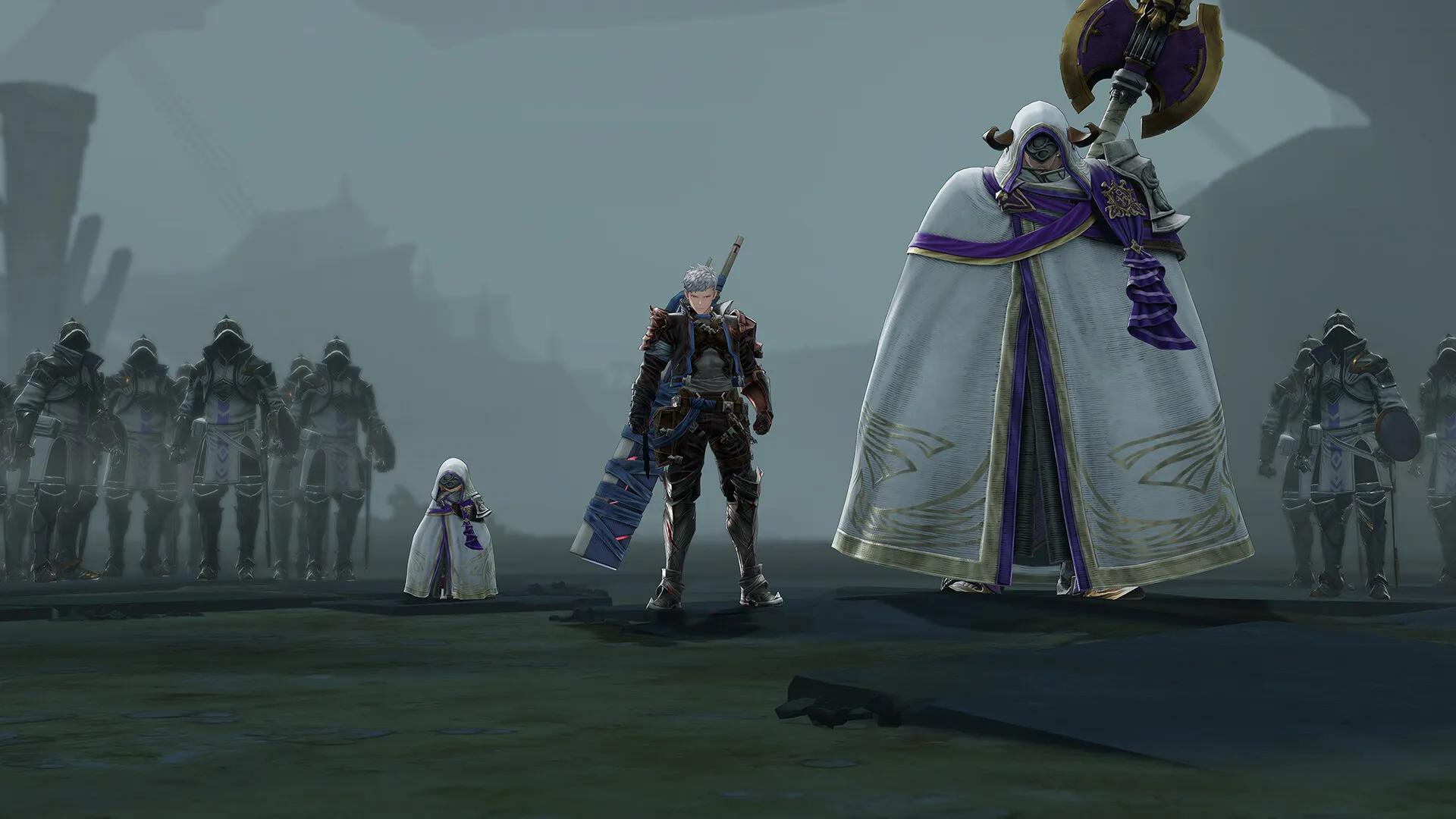
Unravel a sprawling conspiracy involving primal beasts and a mysterious religious organization known as the Church of Avia across breathtaking floating islands.
Diverse Roster of Skyfarers
Choose from a wide array of iconic crew members, each featuring distinct combat styles, skill trees, and customizable weapons to match your preferred playstyle.
An Immersive Zegagrande Skydome Lore and Action RPG Odyssey
Immerse yourself in a visually stunning, action-packed role-playing masterwork crafted by Cygames. Step into the shoes of the Captain alongside your loyal crew of skyfarers as you journey across the untamed Zegagrande Skydome, forging deep bonds, unleashing coordinated party combos, and fighting to stop the Church of Avia from plunging the realm into chaos.
Playtime and Campaign Duration
Prepare for an epic, high-energy sky-faring journey where completing the main story campaign takes roughly 15 to 20 hours. When you factor in tackling challenging endgame quests, recruiting and upgrading the full roster of skyfarers, and diving into online co-op multiplayer missions, your total playtime easily expands to 40 or over 80 hours.
Included Real-Time Party Combat Systems & Zegagrande Skydome Exploration
Real-Time Party Combat, Zegagrande Voyage & Diverse Skyfarers Roster (Fully Integrated)
Granblue Fantasy: Relink pairs its acclaimed action-RPG campaign alongside cooperative party mechanics, an expansive roster of unique fighters, and deep endgame quest structures.
Feature & Mechanic Highlights:
- Thrilling Real-Time Party Combat: Direct a party of four characters in fast-paced skirmishes, executing Link Attacks and devastating Chain Bursts against colossal bosses.
- The Zegagrande Skydome Voyage: Explore breathtaking floating islands and unravel a dangerous conspiracy orchestrated by the Church of Avia and primal beasts.
- Diverse Roster of Skyfarers: Select from iconic crewmates with distinct weapon types, personalized skill trees, and masteries tailored for solo or cooperative play.
- Online Co-op Quest Mode: Team up with up to four players online to tackle challenging boss raids, earn rare materials, and max out your ultimate gear loadouts.
Languages & Audio Support
Full Voiceover (Audio): Japanese, English
Subtitles & Interface: English, Japanese, French, German, Spanish (Spain), Portuguese (Brazil), Simplified Chinese, Traditional Chinese, Korean
System Requirements
| Requirement |
Minimum Specs (1080p 30 FPS Standard) |
Recommended Specs (1080p 60 FPS Ultra) |
| OS |
Windows 10 (64-bit) |
Windows 10 (64-bit) |
| Processor |
AMD Ryzen 3 1300X / Intel Core i5-6600 |
AMD Ryzen 5 3600 / Intel Core i7-8700 |
| Memory |
16 GB RAM |
16 GB RAM |
| Graphics |
AMD Radeon RX 590 / NVIDIA GeForce GTX 1060 (6GB) |
AMD Radeon RX Vega 56 / NVIDIA GeForce RTX 2070 (8GB) |
| DirectX |
Version 11 |
Version 11 |
| Storage |
90 GB available space |
90 GB available space (SSD recommended) |
Frequently Asked Questions (FAQ)
Where can I buy Granblue Fantasy: Relink cheap on PC?
You can purchase shared Steam account access directly from our digital store at a heavy discount. You get official game files, fast delivery, and full single-player action RPG access without paying full retail price.
How to play Granblue Fantasy: Relink in Steam Offline Mode?
Complete the download, launch the game once online to let Steam authenticate local binaries, exit the title, click "Steam" in the top-left menu, choose "Go Offline", and relaunch. You can now play entirely disconnected.
Will my save files be overwritten by other buyers?
No. Game saves are stored locally on your PC in your personal Steam user directory. As long as you stay in Offline Mode, your campaign progression remains completely isolated and secure.
Is this Granblue Fantasy: Relink Steam account Region Free?
Yes. This account access is 100% Region Free and functions worldwide without VPN services, geographic locks, or country-specific limitations.