Access & Setup Guide (Steam PC)
Step-by-Step Steam Account Activation:
01
Log Out: Open the official Steam desktop client on your PC and log out of your personal Steam profile.
02
Sign In: Enter the shared Steam username and password delivered to you immediately after purchase.
03
Verify Steam Guard: Contact the seller via order chat to receive your one-time Steam Guard security code immediately.
04
Download Game: Navigate to your Library tab, find BioShock Infinite, and start the installation.
05
First Launch: Run the game once online to initialize local engine binaries and configure display presets.
06
Enable Offline Mode: Switch Steam to Offline Mode (Steam menu > Go Offline) to explore Columbia privately with zero interruptions.
What You Get by Buying BioShock Infinite at a Cheap Price
The Breathtaking Airborne City of Columbia
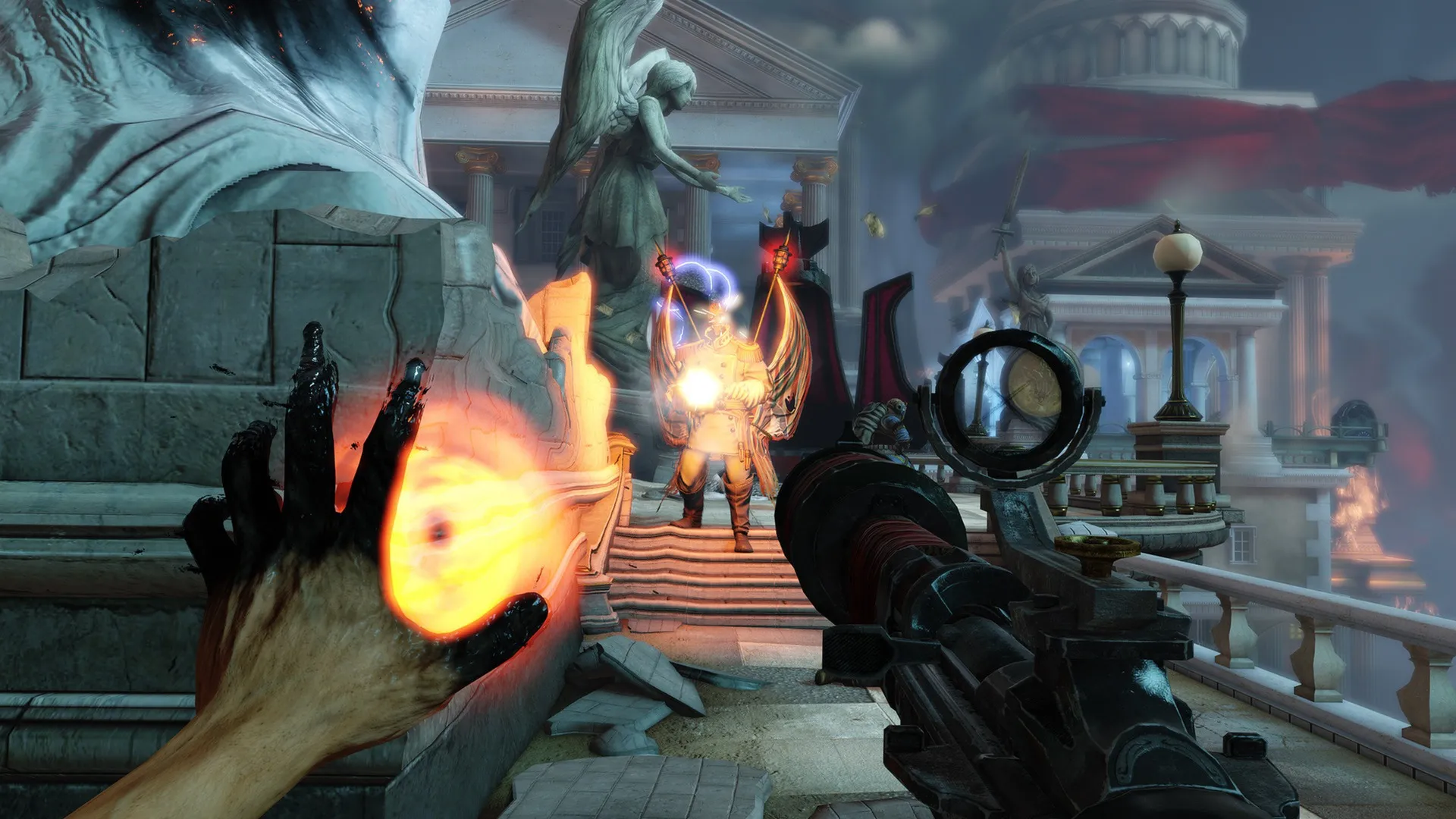
Leave the underwater city of Rapture behind and ascend into the clouds to Columbia, a magnificent floating metropolis governed by zealotry and revolutionary turmoil. Play as former cavalry veteran Booker DeWitt sent to rescue a mysterious young woman without paying full retail store prices.
Sky-Line Combat & Superpowered Vigors
Engage in high-speed combat across urban roller-coaster Sky-Lines. Combine conventional firearms with devastating supernatural Vigors—such as Posse Possess, Devil's Kiss, and Murder of Crows—to manipulate enemies and turn the tide of chaotic firefights.
Your Companion Elizabeth & Dimensional Tears
Fight alongside Elizabeth, an AI companion gifted with the ability to tear open dimensional rifts in reality. She will supply you with ammunition, health kits, and money during combat, and open tactical Tears to summon cover, turrets, or hooks on the fly.
Masterpiece Storytelling & PC Optimization
Experience one of the most celebrated narrative twists in video game history. Enjoy stunning 4K graphical clarity, unlocked framerates, and smooth controller ergonomics on PC.
An Unforgettable Multiverse Lore and Political Intrigue
Immerse yourself in a complex, thought-provoking tale about quantum mechanics, alternate realities, religious fanaticism, and American exceptionalism. Uncover the dark truths behind the prophet Zachary Hale Comstock and the tragic past connecting Booker and Elizabeth across dimensions.
Playtime and Campaign Duration
Prepare for an epic, cinematic journey where completing the main campaign takes roughly 11 to 14 hours. If you thoroughly explore every floating island district, collect every Kinetoscope and voxophone audio log, and dive into the story DLC expansions, your total playtime easily extends to 20 or 25 hours.
Included Major Story Expansions & DLCs
Burial at Sea (Episode 1 & 2) & Clash in the Clouds
BioShock Infinite includes all major post-launch content packs, bridging the gap between Columbia and the original underwater city of Rapture in a climactic two-part narrative finale.
Included DLC Highlights:
- Burial at Sea - Episode 1: Return to a pristine, pre-fall Rapture as private investigator Booker DeWitt, joined by femme fatale Elizabeth in a film-noir detective story.
- Burial at Sea - Episode 2: Experience the gripping conclusion from Elizabeth's perspective, introducing new stealth mechanics, tactical tools, and a heart-wrenching finale tying the entire BioShock trilogy together.
- Clash in the Clouds: Test your combat mastery across 4 distinct wave-based challenge arenas featuring leaderboards and hidden blue-ribbon challenges.
Languages & Audio Support
Full Voiceover (Audio): English, French, German, Italian, Spanish (Spain)
Subtitles & Interface: English, Spanish (Spain & Latin America), French, German, Italian, Polish, Russian, Japanese, Simplified & Traditional Chinese
System Requirements
| Requirement |
Minimum Specs (720p / 1080p Low 30 FPS) |
Recommended Specs (1080p 60 FPS High) |
| OS |
Windows Vista / 7 / 8 / 10 64-bit |
Windows 10 / 11 64-bit |
| Processor |
Intel Core 2 Duo 2.4 GHz / AMD Athlon X2 2.7 GHz |
Quad Core Processor 3 GHz / AMD equivalent |
| Memory |
2 GB RAM |
8 GB RAM |
| Graphics |
NVIDIA GeForce GTX 650 / AMD Radeon HD 6950 (512MB VRAM) |
NVIDIA GeForce GTX 770 / AMD Radeon HD 7970 (2GB VRAM) |
| DirectX |
Version 11 |
Version 11 |
| Storage |
30 GB available space |
30 GB available space (SSD recommended) |
Frequently Asked Questions (FAQ)
Where can I buy BioShock Infinite cheap on PC?
You can purchase shared Steam account access directly from our digital store at a heavy discount. You get official game files, fast delivery, and full single-player story access without paying full retail price.
How to play BioShock Infinite in Steam Offline Mode?
Complete the download, launch the game once online to let Steam authenticate local engine binaries, exit the title, click "Steam" in the top-left menu, choose "Go Offline", and relaunch. You can now play entirely disconnected.
Will my campaign save files be overwritten by other buyers?
No. Game saves are stored locally on your PC in your personal Windows user directory (Documents\My Games\BioShock Infinite\XGame\SaveData). As long as you stay in Offline Mode, your story progress remains completely isolated and secure.
Is this BioShock Infinite Steam account Region Free?
Yes. This account access is 100% Region Free and functions worldwide without VPN services, geographic locks, or country-specific limitations.