
Buy Streaming 4 in 1 Bundle | Crunchyroll, Netflix Premium, DAZN TOTAL, Disney Plus



Get one affordable streaming bundle. Buy now and start watching instantly!
–
💰 INSTANT ACCESS to Bandle: Crunchyroll, Nentflix Premium, DAZN, DIsney plus for 12 FULL MONTHS.
🎥 4K / FULL HD quality, one screen at once.
🚫 No ads, only fun
See Also




 27957
27957 
 27957
27957
 27957
27957
100% Safe Transaction
Efficient, professional, and fully secure with complete data protection.
24/7 Customer Service
Reliable help is available at any time: before, during, and even after your purchase.
Full Refund Guarantee
Best prices, fast delivery. Unreceived or faulty items get a 100% refund.
Reviews
 5.0
5.0  5.0
5.0  5.0
5.0  5.0
5.0  5.0
5.0
5.0
5.0
5.0
5.0
5.0
5.0
5.0
5.0
5.0
5.0 Add Review
Media about us






Description
🎥 Buy the Streaming 4-in-1 Premium Pack – Netflix, Disney Plus, Crunchyroll & DAZN in one bundle
The Streaming 4-in-1 Premium Pack from GGPICK includes Netflix, Disney Plus, Crunchyroll, and DAZN in a single product. After payment, you’ll receive the login details and activation instructions for each service by email.
⚠️ Mandatory usage rules: This pack is configured for 1 device. It is strictly forbidden to change the password, email, or any account details. Breaking these rules voids support and warranty.
✅ Quick start (recommended before you sign in)
1) Open the delivery email and keep it saved (it contains the step-by-step tutorial for each platform).
2) Follow the instructions exactly (most login issues happen when steps are skipped).
3) If something doesn’t work, stop and contact support first (do not edit any account details).
💎 Why choose the 4-in-1 streaming bundle
- 🧾 One purchase for Netflix + Disney Plus + Crunchyroll + DAZN in a single order.
- 📩 Email delivery with clear activation steps for each service.
- 🛡️ Warranty-based support under product rules (Netflix includes an additional mandatory video validation requirement).
⚙️ How to buy & activate your Streaming 4-in-1 Pack on GGPICK
- Select the Streaming 4-in-1 Premium Pack and the available period.
- Pay with Visa, MasterCard, or one of the 50 supported cryptocurrencies.
- Check your inbox for the login details and activation instructions for each platform.
- Sign in by following the tutorial provided in the email.
📺 Where you can watch (compatibility overview)
Each platform supports a wide set of devices (availability can vary by device, app version, and region). If you’re setting up on TV/console, install the official app first.
- 📱 Phones & tablets (iOS / Android)
- 🖥️ Web browsers on laptop/desktop
- 📺 Smart TVs & streaming devices
- 🎮 Game consoles (where supported by the platform)
📥 Offline downloads & parental controls (what’s possible)
Offline downloads: Netflix, Disney Plus, and Crunchyroll offer offline downloads on supported devices (availability depends on title, plan, and device).
Parental controls: Disney Plus provides profile-based parental controls (content rating settings, kids profiles options depending on region/device).
🧠 Streaming quality basics (simple checklist)
- 📶 For Netflix in Ultra HD (4K), Netflix recommends 15 Mbps or higher (actual quality depends on title, plan, and device).
- 🧩 If video looks blurry: check Wi-Fi stability, restart the app, and try another title (some titles may not be available in 4K).
📌 What’s inside (Netflix, Disney Plus, Crunchyroll & DAZN)
If you’re here for a Netflix subscription, Disney Plus subscription, Crunchyroll subscription, or DAZN subscription, here’s a clear summary of each service included in the bundle.
🎬 Netflix in the bundle – movies, series, documentaries, anime & Originals
Netflix offers a large library of TV series, movies, documentaries, anime, and Netflix Originals.
To activate the warranty and receive support in case of issues, it is mandatory to provide a screen recording showing:
from the email where you received the purchase details and instructions, up to the login attempt while following our tutorial.
Important: if a replacement is provided under warranty, a new screen recording is also required to validate the replacement access.
Preferred method: a public Google Drive link sent via support chat or directly to the seller.
No video = no replacements and no refunds.
🏰 Disney Plus in the bundle – Disney, Pixar, Marvel, Star Wars & National Geographic
Disney Plus features movies and series from Disney, Pixar, Marvel, Star Wars, and National Geographic.
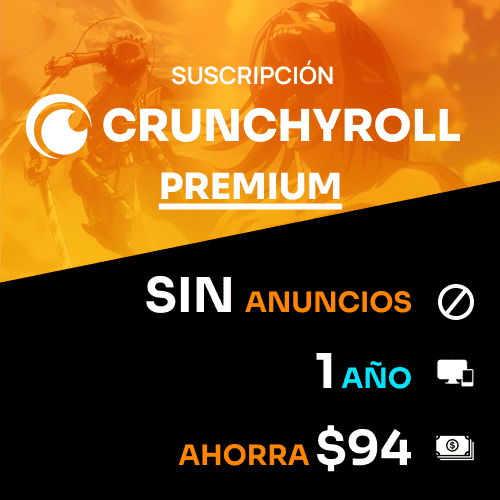
🎌 Crunchyroll in the bundle – anime catalog & simulcasts
Crunchyroll is focused on anime, with a large library of series and movies. For supported titles, simulcasts release episodes around the same time they air in Japan.
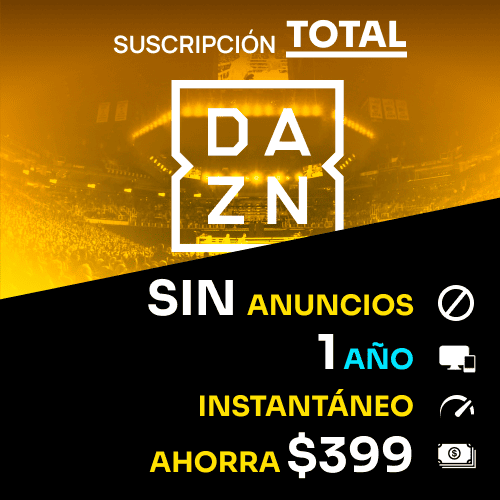
⚽ DAZN in the bundle – live sports & on-demand streaming
DAZN is a sports streaming service with live and on-demand sports content (availability depends on region and rights).
🧩 Common activation issues (fast troubleshooting)
• Email not found: check Spam/Promotions and search for “GGPICK”. Make sure you entered the correct email at checkout.
• Wrong password / login error: re-check the exact steps in the tutorial (copy/paste carefully). If it still fails, contact support before making changes.
• Catalog looks different: some titles and sports rights vary by country/region and by platform.
❓ FAQ – Streaming 4-in-1 (Netflix, Disney Plus, Crunchyroll & DAZN)
1) What’s included in the Streaming 4-in-1 Pack?
The bundle includes Netflix, Disney Plus, Crunchyroll, and DAZN. You’ll receive credentials and activation instructions by email.
2) Can I change the password or email?
No. Changing any account details is strictly forbidden and voids warranty and support.
Netflix (FAQ)
3) What internet speed is recommended for Netflix 4K?
Netflix recommends 15 Mbps or higher for Ultra HD (4K). Actual quality depends on the title, plan, and device.
4) Can I download Netflix titles to watch offline?
Netflix supports offline downloads on supported devices (availability depends on plan, title, and device).
5) What do I need for Netflix warranty support if login fails?
A screen recording is mandatory: from the email with instructions to the login attempt following the tutorial, sent via a public Google Drive link. Without a video, replacements/refunds are not processed.
Disney Plus (FAQ)
6) Does Disney Plus support offline downloads?
Disney Plus supports offline downloads on supported devices (availability depends on title/device).
7) Does Disney Plus have parental controls?
Yes. Disney Plus offers profile-based parental controls, including content rating settings.
Crunchyroll (FAQ)
8) What does “simulcast” mean on Crunchyroll?
Simulcasts are episodes released on Crunchyroll around the same time they air in Japan (for supported titles).
9) Can I download Crunchyroll episodes for offline viewing?
Crunchyroll supports offline downloads on supported devices (availability depends on plan/title).
DAZN (FAQ)
10) Is DAZN live or on-demand?
DAZN offers live and on-demand sports streaming (availability varies by region and rights).
✅ Activate your Streaming 4-in-1 Pack on GGPICK
If you want a 4-in-1 streaming bundle that includes Netflix, Disney Plus, Crunchyroll, and DAZN in one product, this pack is built for guided activation. Buy, check your email, and follow the instructions step by step.
FAQ
-
How do I make a purchase if I don't have a credit card?
In addition to accepting Visa and Mastercard credit cards, we also accept PSE, Banco Pichincha, Skrill, Webpay, BancoEstado, Santander, Pago Efectivo, Trustly, OXXO, 7eleven, BBVA, Bancolombia, and over 300 additional payment methods. -
How many devices can I watch on?
On our marketplace, we have a rule for sellers that at least 2 devices must be available. Most sellers include this information in the product description. -
If something goes wrong, how do I contact you?
At Ggpick, we are committed to providing the best possible service to our users. That's why we offer 24/7 online technical support with a team of highly responsible and committed professionals. After making your purchase, you will be directly connected to the seller via chat. If the seller doesn't respond immediately, we will automatically respond to help you.
If you need help with any technical issues or have any questions, don\'t hesitate to contact us through our email [email protected]. We will respond as soon as possible to solve your problems or answer your questions.
Soon we will have more people in our team, and we will add support within our website, which will be available for people who haven't placed their order yet. Everything will be ready by May 30th. -
What is the purchasing process like?
We have made the purchasing process as easy as possible to improve the experience for our users. Simply click on 'Buy', enter your email, name, and surname, choose the payment method that is most convenient for you, and make the purchase. After completing the process, you will automatically receive the purchased product. If you have any questions, don't hesitate to contact us through our email [email protected]. We're here to help you with anything you need!